
Best Dash Cams for Uber & Lyft Drivers in 2026: 5 Rideshare Picks
For most Uber and Lyft drivers, the Vantrue N4 Pro S is one of the strongest all-around choices because it records the road ahead, the passenger cabin and the rear of the vehicle. Drivers wanting maximum cabin coverage should consider the VIOFO A329S 3CH, while part-time rideshare drivers who mainly need front + cabin recording can save money with the Vantrue N2X.
Driving for Uber, Lyft or another rideshare service creates a different set of dash-cam requirements than normal commuting.
A regular front-facing camera may document a collision, but rideshare drivers also have passengers entering and leaving the vehicle throughout the day. That makes cabin recording, infrared night vision, storage capacity, heat tolerance and reliable continuous recording much more important.
Best Dash Cams for Uber & Lyft — Quick Comparison
| Dash Cam | Best For | Camera Setup | Rideshare Strength |
|---|---|---|---|
| Vantrue N4 Pro S | Best overall | 4K front + cabin + 2.5K rear | Strong 3-channel coverage |
| VIOFO A329S 3CH | Best premium | 4K front + 2K cabin + 2K rear | 210° cabin camera |
| VIOFO A229 Pro 3CH | Best value premium | 4K front + 1080p cabin + 2K rear | Excellent front/rear image quality |
| Vantrue N2X | Best for part-time drivers | Front + cabin | IR interior recording |
| Nextbase iQ 4K | Best connected option | 4K front + cabin | Remote/smart security features |
1. Vantrue N4 Pro S — Best Overall for Uber & Lyft

Vantrue N4 Pro S
4K Front + Cabin + 2.5K Rear • Triple STARVIS 2 • IR Night Vision
Check Current Price on Amazon →The Vantrue N4 Pro S is particularly well matched to rideshare work because it records three important areas at once: the road ahead, the passenger cabin and the rear of the vehicle.
- 4K front recording
- 1080p interior recording
- 2.5K rear recording
- Triple Sony STARVIS 2 sensors
- Infrared cabin night vision
- Built-in GPS
- 5GHz Wi-Fi
- Up to 1TB microSD support
- 24/7 parking-mode support
- Supercapacitor design
2. VIOFO A329S 3CH — Best Premium Rideshare Dash Cam

VIOFO A329S 3CH
4K Front + 2K IR Cabin + 2K Rear • 210° Interior View
Check Current Price on Amazon →The A329S 3CH is aimed at buyers who want a more advanced three-camera system. Its standout feature for rideshare work is the 2K infrared cabin camera with a 210-degree field of view.
- 4K front recording
- 2K infrared cabin recording
- 2K rear recording
- Sony STARVIS 2 sensors
- 210-degree fisheye interior camera
- HDR across all three channels
- GPS
- Wi-Fi 6
- Voice control
- External SSD storage support
3. VIOFO A229 Pro 3CH — Best Value Premium Pick

VIOFO A229 Pro 3CH
4K Front + 2K Rear + 1080p Cabin • HDR • STARVIS 2
Check Current Price on Amazon →VIOFO specifically positions the A229 Pro 3CH for taxi and ridesharing use. It combines high-resolution front and rear recording with an interior camera, making it a strong middle ground between mainstream and flagship systems.
- 4K front camera
- 2K rear camera
- 1080p interior camera
- HDR recording
- Sony STARVIS 2 sensors
- GPS
- 5GHz Wi-Fi
- Voice control
- Parking-mode support
4. Vantrue N2X — Best for Part-Time Uber & Lyft Drivers
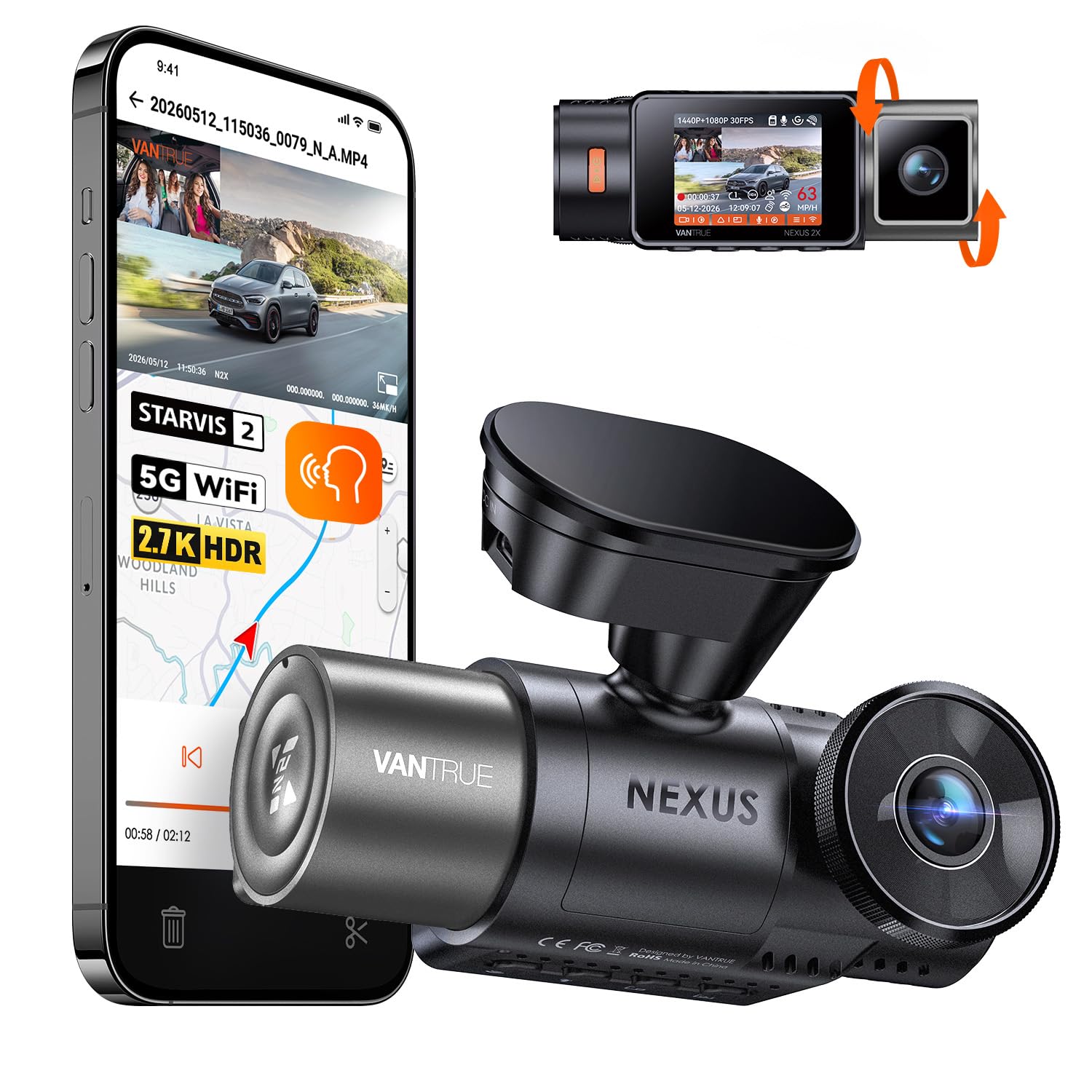
Vantrue N2X
Front + Interior • STARVIS 2 • IR Cabin Night Vision • GPS
Check Current Price on Amazon →Not every rideshare driver needs a full three-camera setup. If you primarily want footage of the road ahead and passengers inside the cabin, the N2X offers a simpler dual-camera configuration.
- Front + interior recording
- STARVIS 2 sensor technology
- Infrared cabin night vision
- GPS
- 5GHz Wi-Fi
- Parking-mode support
- Up to 512GB microSD support
5. Nextbase iQ 4K — Best Connected Rideshare Dash Cam
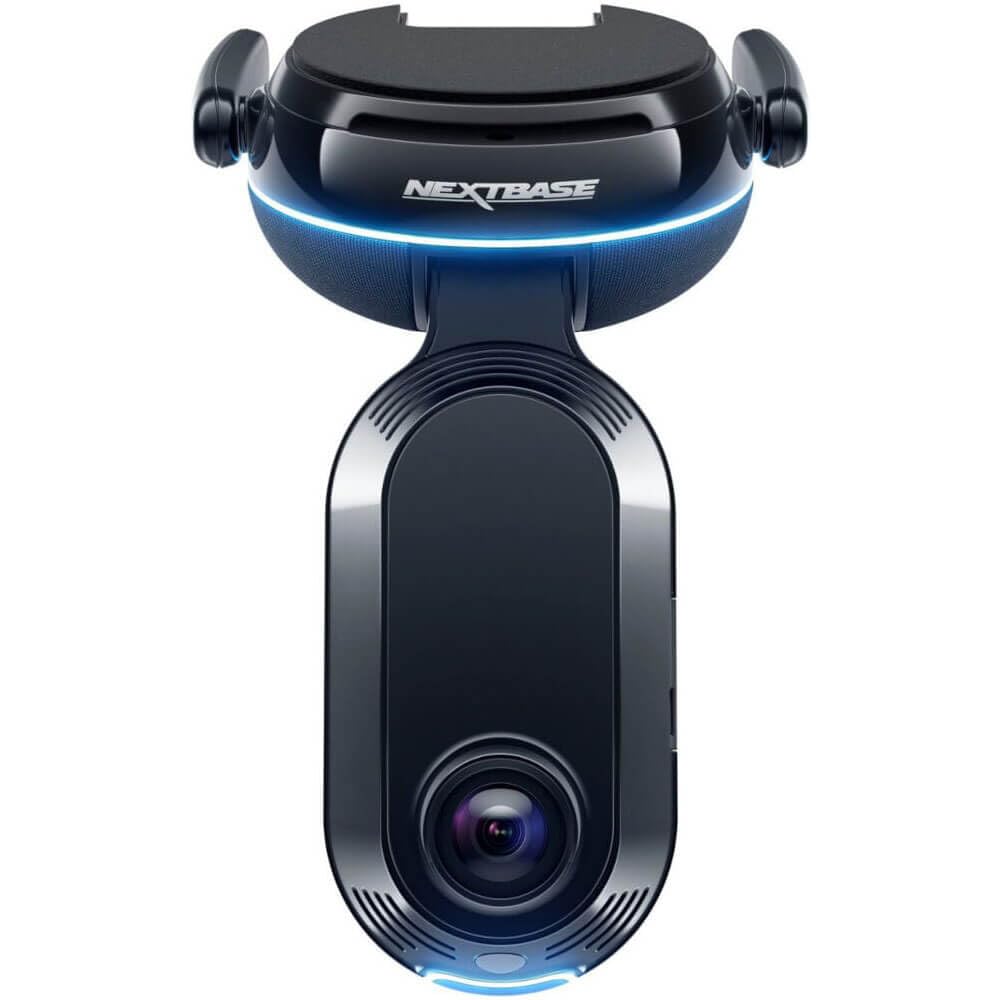
Nextbase iQ 4K
4K Front • Cabin Camera • Connected Security • Smart Parking
Check Current Price on Amazon →The Nextbase iQ takes a different approach from conventional dash cams. Its focus is connected security, remote monitoring and smartphone-based features.
- 4K front recording option
- Integrated cabin camera
- Smart parking monitoring
- Remote notifications
- Emergency SOS functionality
- Connected app features
- Optional additional rear coverage
Which One Should You Buy?
Best overall: Vantrue N4 Pro S
Best premium cabin coverage: VIOFO A329S 3CH
Best value premium: VIOFO A229 Pro 3CH
Best for part-time rideshare: Vantrue N2X
Best connected option: Nextbase iQ 4K
Why Uber & Lyft Drivers Need a Different Dash Cam
1. Cabin Recording
For a normal commuter, an interior camera is optional. For a rideshare driver, it can document what happens inside the vehicle during passenger trips.
2. Infrared Night Vision
Many rideshare trips occur at night. Visible-light cabin cameras can struggle inside a dark vehicle, which is why infrared cabin illumination is particularly useful.
3. Three-Channel Coverage
Front + cabin + rear recording provides the broadest coverage. It can document the road ahead, passenger area and vehicles approaching from behind.
4. Large Storage Capacity
A rideshare driver may record for several hours per shift. Three-channel 4K/2K systems generate substantial amounts of data, so supported storage capacity matters more here than it does for occasional drivers.
5. Heat Resistance
A dash cam mounted near the windshield can spend hours in a hot parked vehicle. A supercapacitor-based design is generally attractive for continuous automotive use, but always check the manufacturer's published operating-temperature limits.
Uber Dash Cam Rules
Uber permits drivers to use dash cams and other recording devices for transportation and safety purposes.
Uber also allows drivers to register a dashcam in the Driver app. When registered, riders can be notified that the vehicle may be recording.
Uber warns that local regulations may require drivers to notify riders or obtain consent before recording them.
Uber also prohibits publicly broadcasting riders' images, audio or video outside permitted transportation/safety purposes.
Lyft Dash Cam Rules
Lyft allows drivers to use dash cameras subject to applicable local regulations. Drivers can also register a dashcam through the Lyft Driver app.
Lyft states that riders may be notified when a registered dashcam or supported ride-recording feature is active.
Lyft also prohibits broadcasting another person's recording without appropriate consent.
Video-recording and especially audio-recording laws vary across U.S. states. Some jurisdictions have stricter consent requirements than others. Before enabling interior audio recording, check your state and local laws and the current Uber/Lyft platform rules. This article is general information and is not legal advice.
Should Rideshare Drivers Record Audio?
Audio can provide additional context during an incident, but it also creates more privacy and consent considerations than video alone.
If you do not need cabin audio, disabling it may simplify privacy concerns. If you keep audio enabled, understand the recording-consent rules applicable in the jurisdictions where you drive.
2-Channel vs 3-Channel for Uber and Lyft
Front + Cabin
A front-and-cabin setup is suitable for drivers primarily concerned with documenting road incidents and passenger interactions.
Front + Rear
This is useful for ordinary driving but lacks passenger-area coverage, so it is usually less useful specifically for rideshare work.
Front + Cabin + Rear
For full-time Uber or Lyft drivers, three-channel recording is generally the most complete configuration because it covers all three major areas around the vehicle.
How Much Storage Does a Rideshare Driver Need?
Long shifts and multi-channel video can fill a memory card quickly.
A casual part-time driver may be comfortable with a smaller capacity, but full-time drivers should consider higher-capacity cards supported by the manufacturer.
Always use a reputable high-endurance microSD card designed for continuous video recording rather than a basic consumer card.
Do You Need Parking Mode?
Parking mode is useful if your rideshare vehicle is frequently parked on city streets, airport holding areas, apartment lots or other busy locations.
Remember that advanced parking recording generally requires an appropriate constant-power solution such as a hardwire kit, OBD power cable or external dash-cam battery.
Frequently Asked Questions
Can Uber drivers use dash cams?
Yes. Uber allows drivers to use dash cams, subject to applicable laws and platform rules. Uber also offers dashcam registration through its Driver app.
Can Lyft drivers use dash cams?
Yes. Lyft permits dash cameras subject to local recording laws and allows drivers to register a dashcam through the Lyft Driver app.
What is the best dash cam setup for a rideshare driver?
A three-channel system covering the road ahead, passenger cabin and rear of the vehicle provides the most comprehensive coverage.
Is infrared cabin recording important?
It can be very useful for nighttime rides because the passenger cabin may be too dark for ordinary visible-light recording.
Should I tell riders that I have a dash cam?
Recording laws differ by state and city. Uber and Lyft both advise drivers to follow local regulations, and registered dashcams can help platforms notify riders.
More DriveSpecLab Buying Guides
Final Verdict
For full-time Uber and Lyft drivers, a three-channel dash cam makes the most sense because it records the road, passengers and rear of the vehicle at the same time.
The Vantrue N4 Pro S is our strongest all-around specification-based choice, while the VIOFO A329S 3CH is particularly attractive for drivers who want a wider and higher-resolution interior view.
The VIOFO A229 Pro 3CH offers a strong balance between premium road recording and cabin coverage, while the Vantrue N2X makes sense for drivers who want a simpler front-and-cabin system.
Whichever camera you choose, register it with your rideshare platform where supported, use a high-endurance memory card, and understand your local recording laws before carrying passengers.
